



Let's Dance!
Events for Thursday May 21, 2026
Liberty Dancers


May 21, 2026
6:30 pm to 9:00 pm
Claysville Community center
212 Main St. Claysville, PA
What3Words //////rally.waterfalls.tolerating
Google Map
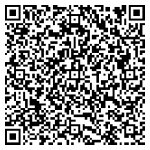
Tip: Navigate to the dance using the QR Code, or see the bottom of this page for map link help.
This club is PLUS ONLY! All dancers must have already completed the caller lab Mainstream/SSD Program and be proficient before attending this dance club. No beginners.
Adults $7 Youth and family rates available
Plus Workshop / Dance
Callers: Scott Brown and Lisa Minton
Contact: Lisa Minton 412-215-0617
Please call Lisa if you are planning on coming and want to make sure the dance is still on.
Y-Knot

May 21, 2026
7:00 pm to 9:30 pm
North Hills Community Baptist Church
7801 Thompson Run Road, Pittsburgh PA 15237
What3Words ///lamp.crafts.underlines
Google Map
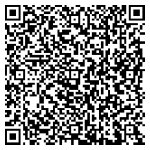
Tip: Navigate to the dance using the QR Code, or see the bottom of this page for map link help.
IT WILL BE A PLUS DANCE FROM 7:00-9:30.
Caller:Jim Yoest to call with a review of calls as needed.
Cost: $7. Square wear is optional. In the event of snowy conditions, check your email prior to leaving.
Contacts: Russ Stewart 412-780-0047 or Barb MacDonald 412-629-7079
Key: Some examples * find more detail in the event info
- Square Dancing: The square on left indicates the minimum and the square on the right indicates the max program of tips to expect.
 Green means no experience necessary and Blue means SSD
 Gold means Mainstream and Purple means Plus
 Red means Advance and White means Challenge
 - Round Dancing:
 two blue circles means strictly Phase II & III
 Gold means Phase IV and Purple means Phase V & VI
 - Line Dancing:
 - no experience necessary /
  - experience asked for
 - Social Dancing:
 - no experience necessary /
  - experience asked for
This means contact the club to verify that the event is still on.
Using map links for navigation? Your experience may vary, but...
- Using the Google map link will load it in your web browser and present you with a "Start" button that doesn't actually work. To get one that works, tap the 3 dots in the upper right corner. In that menu, tap "Open in app." If you already have the app on your phone, it will load and present you with a "start" button that actually works.
- Using the What3Words link, their map will load in your browser. Tap the "Navigate" button and choose the Waze option. The Waze map will load, again, in your browser. Tap the "Open in Waze" button at the bottom to load the map in the app (if Waze is installed on your device).